You already ate today.
Do you actually know what you ate?
Meet Veya — the app that looks at your plate the way you do, and tells you the truth about it.
Nutrition labels give you numbers.
Numbers aren't understanding.
You need to know what a plate means for you — before you eat it, not after.
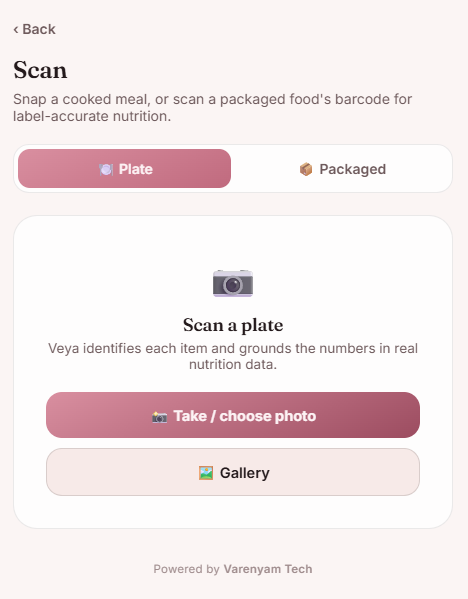
Cooked meal? Choose Plate.
Point your camera at what's actually in front of you — a home-cooked thali, a bowl of dal, whatever's on the table.
Packaged food? Scan the barcode.
Veya reads the barcode and pulls label-accurate nutrition from Open Food Facts — no guessing on packaged items.
Home-cooked thali — Veya reads it the same way.
Take a photo or choose one from your gallery. Veya identifies each item on the plate and grounds the numbers in real nutrition data.
Not a black box. A pipeline you can see.
Veya looks at the photo and identifies what it's seeing — here, a cold coffee.
It checks its own confidence.
This is the part most scanners skip. Veya rates how sure it is — and says so, in plain sight.
55% confidence · AI estimate — no database matchGrounded in real data, scored plainly.
Where there's a match, Veya grounds the numbers in USDA and Open Food Facts data — then rolls protein, carbs and fat into one 0–100 score, plus a plain-English tag.
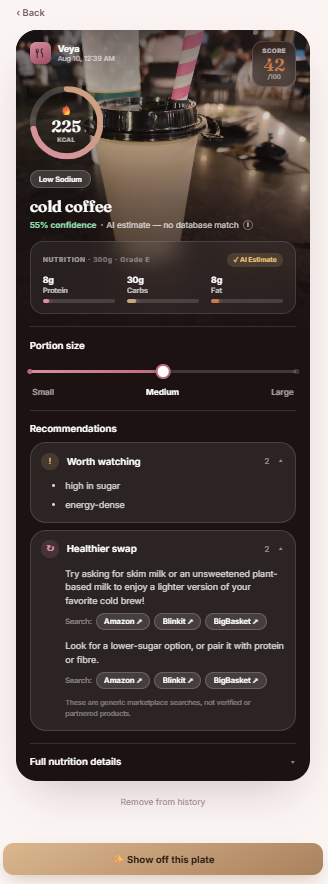
Drag the portion. Watch the numbers actually move.
Illustrative — approximates how Veya recalculates a plate as portion size changes.
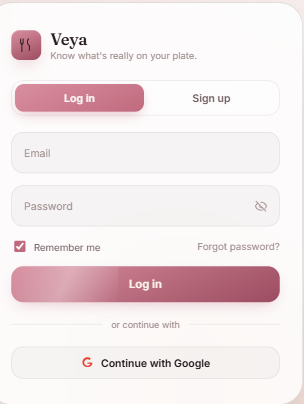
Every plate, finally honest.
Sign up in seconds — email or Google. Your scans start showing up on your home dashboard from the very first day.
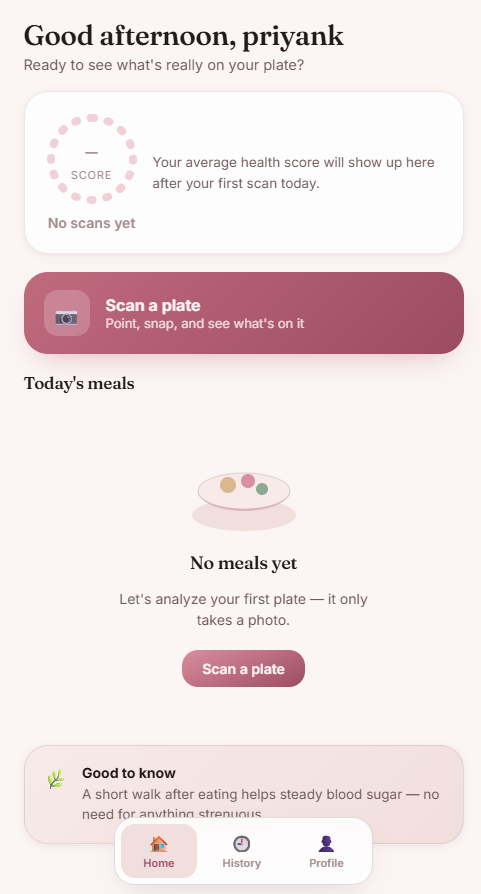
Your day, at a glance.
Today's score, today's meals, and one big "Scan a plate" button. Everything else fades to the background until you want it.
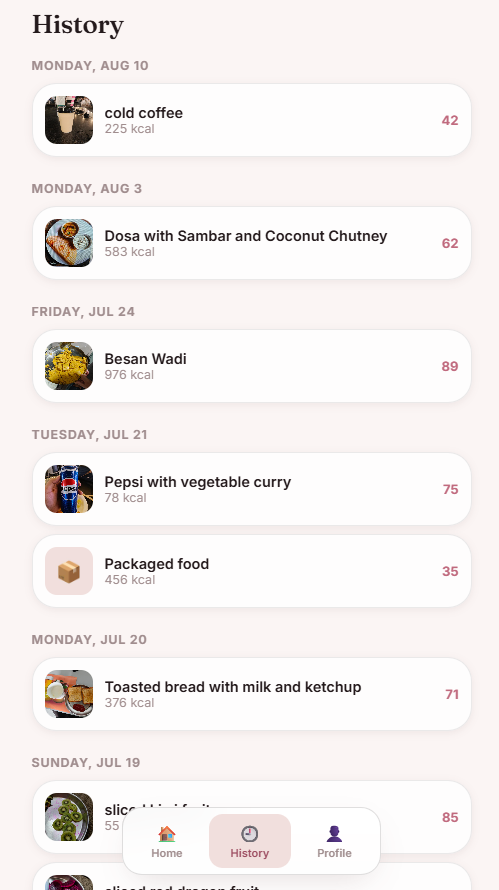
Everything you've scanned.
Dosa, besan wadi, cold coffee — a real, running log with kcal and score for each. Scroll back to any day.
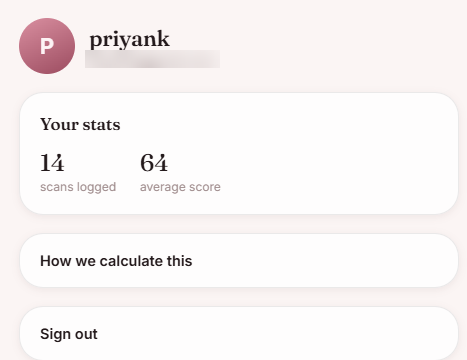
Your own numbers.
Scans logged, average score, and a link showing exactly how the score is calculated — no black box.
We'd rather tell you "we're not sure" than make up a number that sounds confident.
Most food-scanning apps show one clean number and let you assume it's exact. Veya shows its work instead.
"55% confidence · AI estimate — no database match." That line appears right on the result screen when Veya is estimating rather than matching a known item. It doesn't get hidden in fine print.
You don't need to log every meal.You need to know what's in front of you, before you eat it.
You've seen how it works.
Now scan your own plate.
Veya is live today as an installable web app — no app store wait, no download size. Open it, add it to your home screen, and it behaves like any other app on your phone.